
Deer Sniper Bullet Hunter 3D1.0 - App Store
You'll be able to see results in few seconds.
Publisher Description
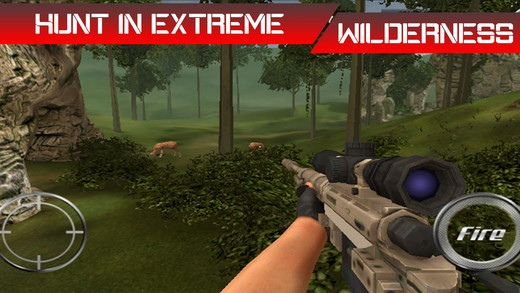
Ready to start your vocation as a wild sniper hunter but show some shots before focusing your sniper rifle to license you as a master sniper hunter. Given with an easy target, deer kill, this game provides you a complete hunting environment ideal for trainee sniper shooter.
Do you have what it got to kill wild deer? Prove here!
HUNT EXPLORED
Took a day off from busy life spend your day in search of wild deer around the lush green mountain fields of North American forests. Start hunting for your target aiming for a number of deer for your shooting mission.
Your hunter quest will bring you to the famous hunting ground covering mountain ranges and give you the deer hunting license along with a sniper rifle to kill your aim with acute headshot. Place an eagle eye headshot and get rewarded with the prize money and name of legend hunter with each kill.
That s enough for the deer hunter challenge! Enjoy your hunting deer!
WIDER PERSPECTIVE
Get improved and visible zoom in view of target by every weapon upgrade
WILD & ENDLESS SHOOTING
Exert your shooting streak to the limitless shoot round to score for more!
EXPERIENCE THE PERFECTION
Take a master head shot to bless you with legend hunter pride
Requires iOS 6.0 or later. Compatible with iPhone, iPad, and iPod touch.
About Deer Sniper Bullet Hunter 3D
The company that develops Deer Sniper Bullet Hunter 3D is ZEKAB International Limited. The latest version released by its developer is 1.0.
To install Deer Sniper Bullet Hunter 3D on your iOS device, just click the green Continue To App button above to start the installation process. The app is listed on our website since 2015-08-05 and was downloaded 0 times. We have already checked if the download link is safe, however for your own protection we recommend that you scan the downloaded app with your antivirus. Your antivirus may detect the Deer Sniper Bullet Hunter 3D as malware if the download link is broken.
How to install Deer Sniper Bullet Hunter 3D on your iOS device:
- Click on the Continue To App button on our website. This will redirect you to the App Store.
- Once the Deer Sniper Bullet Hunter 3D is shown in the iTunes listing of your iOS device, you can start its download and installation. Tap on the GET button to the right of the app to start downloading it.
- If you are not logged-in the iOS appstore app, you'll be prompted for your your Apple ID and/or password.
- After Deer Sniper Bullet Hunter 3D is downloaded, you'll see an INSTALL button to the right. Tap on it to start the actual installation of the iOS app.
- Once installation is finished you can tap on the OPEN button to start it. Its icon will also be added to your device home screen.
Program Details
System requirements
Download information
Pricing
Version History
version 1.0
posted on 2015-08-05
Disclaimer
Official App Store Link
We do not host Deer Sniper Bullet Hunter 3D on our servers. We did not scan it for viruses, adware, spyware or other type of malware. This app is hosted by Apple and passed their terms and conditions to be listed there. We recommend caution when installing it.
The App Store link for Deer Sniper Bullet Hunter 3D is provided to you by apps112.com without any warranties, representations or guarantees of any kind, so access it at your own risk.
If you have questions regarding this particular app contact the publisher directly. For questions about the functionalities of apps112.com contact us.
